


Measure your catch from a photo.
No tape measure. No bump board. No scale. Caudal estimates a fish’s length and weight from a single photo, so you can measure, log and release in seconds.
Caudal is developed by Phalanx Fishing LLC.
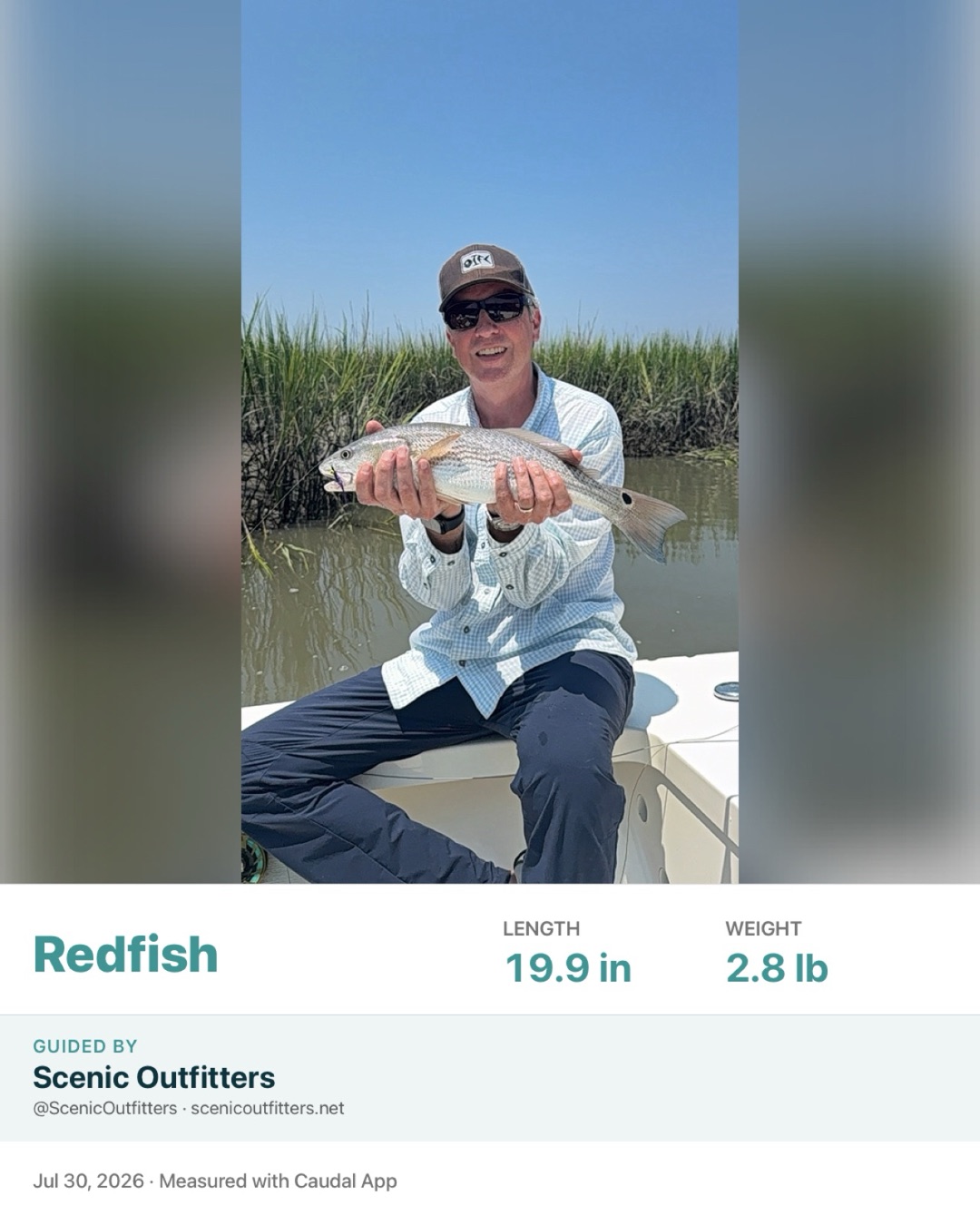
The Caudal Card
Every catch, ready to share.
Share a catch and Caudal builds a Caudal Card — your photo with the species, length and weight set into it. Post it as it is; the numbers are already on it, so there’s nothing to caption and nothing to explain.
Fished with a guide or a charter? If they’ve shared their credit with you, the card reads Guided by their business too — so the people who ask where you caught it can find them.
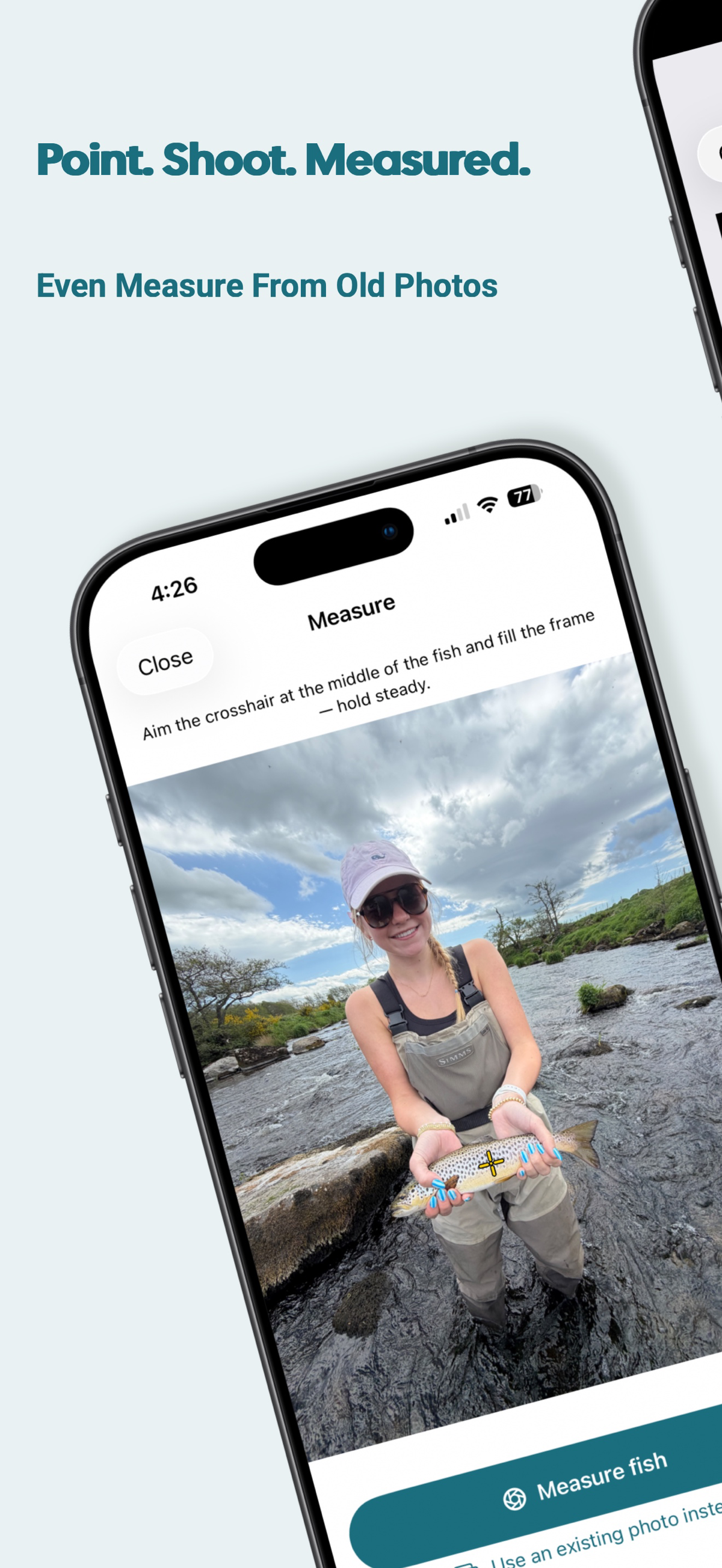
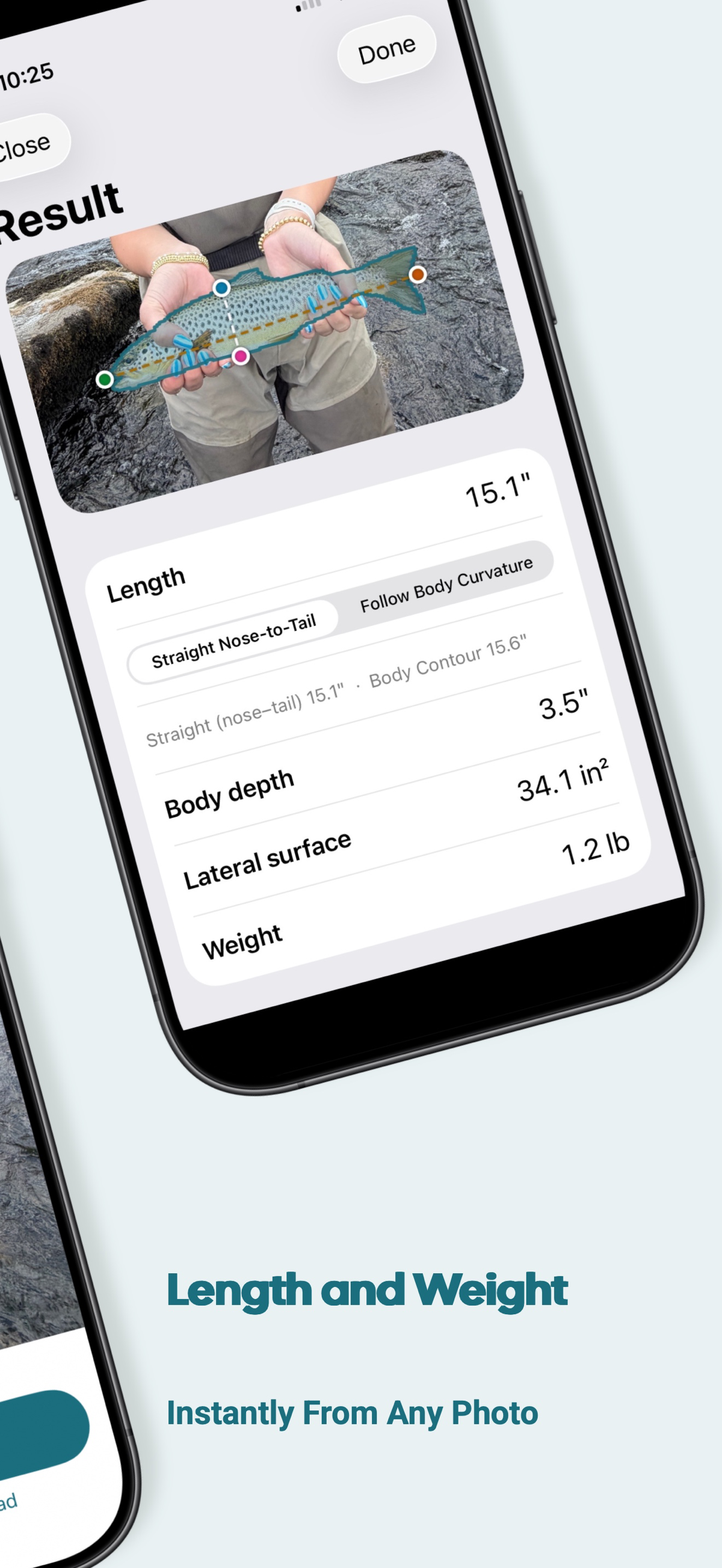
Inside the app
What measuring actually looks like.
Swipe through the app, screen by screen.
How it works
Three steps from catch to record.
Point, shoot, done — or measure straight from a photo you already have.
- 1
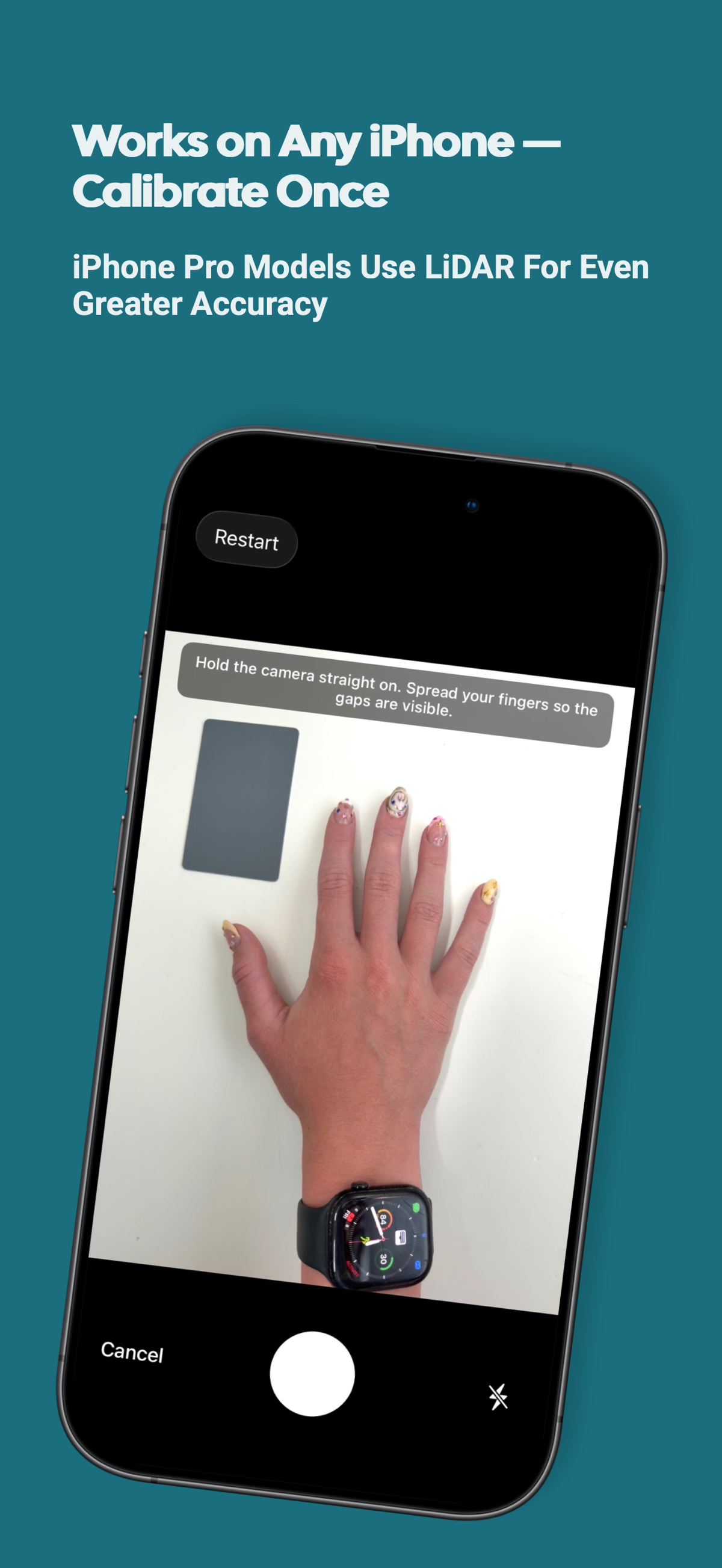
Calibrate once — or not at all
Photograph your hand next to something of a known size. Caudal remembers it, and you never do it again. On iPhone Pro models, LiDAR skips this step entirely.
- 2
Photograph the fish
Hold the fish and take the shot, or pick a photo from your camera roll — old ones work too.
- 3
Get length and weight
Caudal finds the fish, measures it, and saves the result to your catch log — length, weight and species.
Built for accuracy
Your own hand is the ruler.
Most measuring apps make you line up two points by hand. Caudal uses a reference it can actually trust — the hand already holding the fish. Caudal’s core measurement methods are patent-pending.
iPhone Pro
With LiDAR, there’s no calibration at all.
iPhone 12 Pro and later have a LiDAR depth sensor. On those phones Caudal measures the distance to the fish directly, so it skips the calibration step entirely — and it’s the most accurate way Caudal measures.
No LiDAR? Calibrate once
Every other iPhone and Android phone uses your hand as the reference. One calibration photo, and you never do it again.
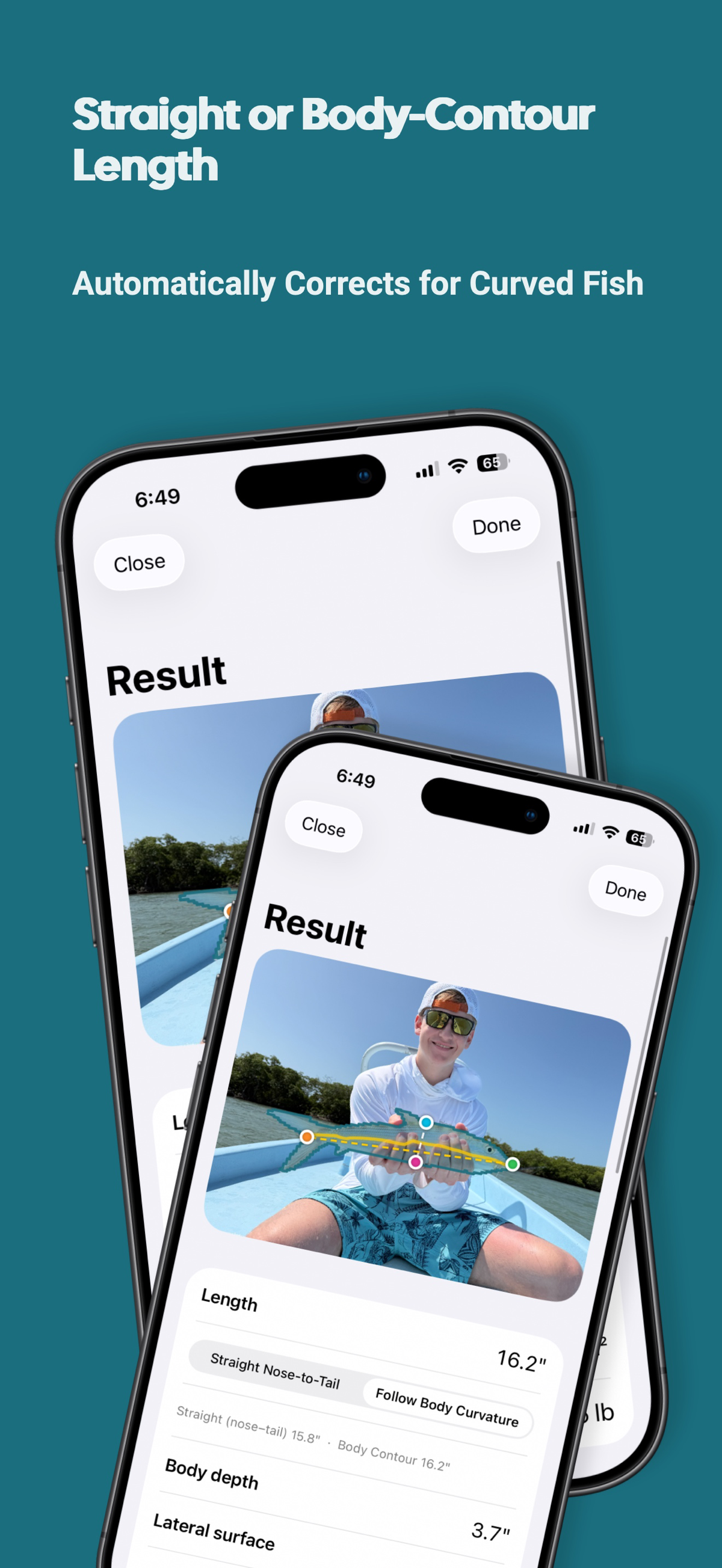
Straight or body-contour length
Report a straight nose-to-tail measurement, or follow the curve of the body when the fish isn't lying flat.
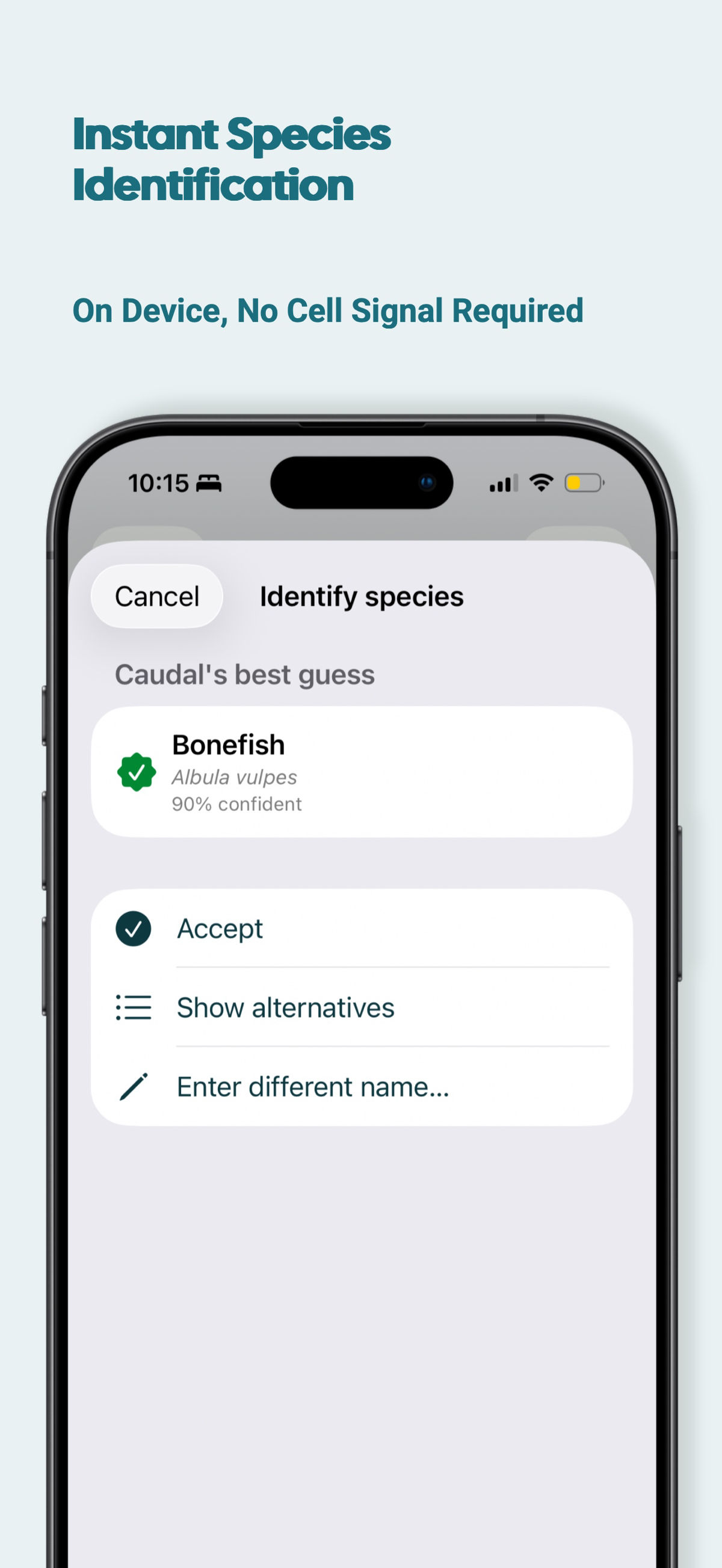
Species ID on your device
Caudal identifies the species without sending your photo anywhere — so it works with no cell signal at all.
Weight, not just length
Caudal estimates weight from length and the fish's measured body depth, and learns from any weights you enter yourself.
Your logbook
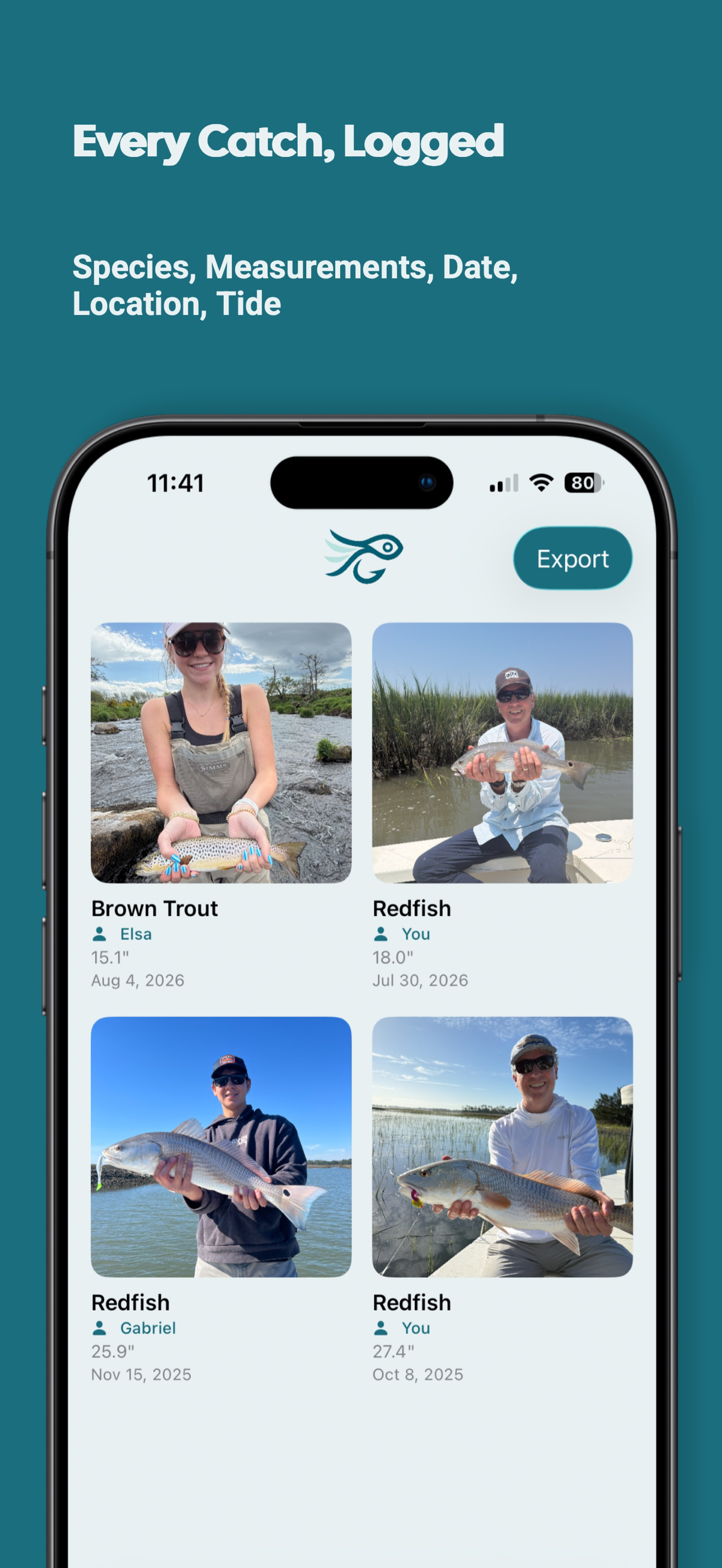
Every catch, logged.
Species, measurements, date, location and tide, saved with the original photo. Your log syncs privately to your account, so a new phone doesn’t mean starting over — and you can export it whenever you like.
Available now
Get Caudal, free.
Measure, log and release in seconds — on iPhone and Android.